 Name Tracing
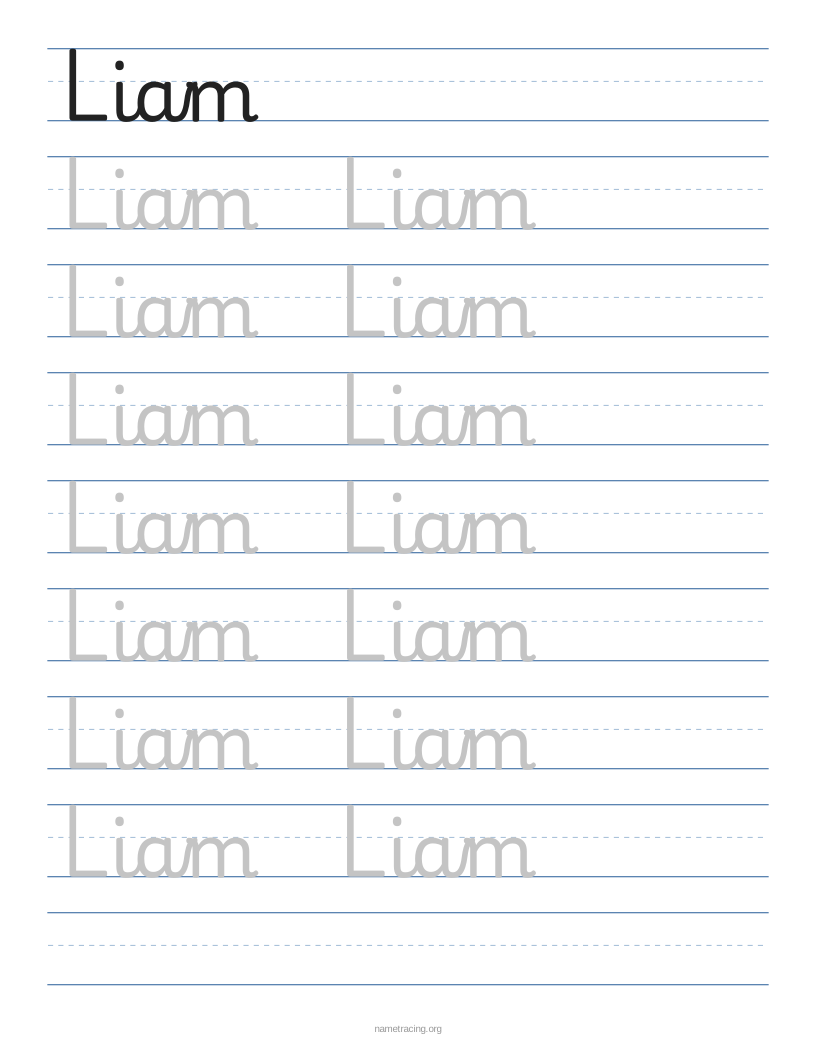
Each page fills a whole sheet of US Letter or A4 paper. Short names repeat two or three times per row; long names shrink to fit.
Prepare a small set of personalized worksheets
This page creates editable worksheet content before download. The downloaded PDF contains the finished pages; to change a name or setting, edit it here and download again.
Worked example: three names, three pages
Replace Liam with the following three lines. These are sample names, not a real class list:
Liam
Mia
Ava
- Keep each name on its own line. A space within a line stays part of that name; it does not start a new page.
- Choose US Letter or A4 to match the paper in your printer, then choose the font and line size.
- Use the page thumbnails to inspect Liam, Mia and Ava individually. Check spelling and whether the line spacing leaves enough room.
- Download PDF once for the complete set. For this example the PDF should contain three pages, in the same order as the names.
Check a print before making copies
- Open the PDF and select one page for a trial print. Choose Actual size / 100% rather than Fit to page if you want to preserve the selected line spacing.
- If an edge is clipped, first check that the PDF paper size matches the printer setting. You can change the paper size here and download again.
- Light gray letters may look too faint with an ink-saving setting. Compare a normal-quality print with the dotted option instead of assuming the PDF is empty.
- Use the PDF for a multi-page set. The PNG download exports the page currently shown in the preview; it is useful when you need an image of one worksheet.
You can enter up to 40 lines. Start with a short set and check the output before preparing a larger one. To practice both names on a single sheet, use first and last name tracing; for a batch use class name tracing.
What it is good for
- Name practice in preschool, pre-K and kindergarten
- Occupational therapy fine-motor practice
- Homeschool handwriting lessons
- Busy-bag and quiet-time activities
How to make and print it
- Type the name (or letters). For several children, put one name on each line.
- Choose print or cursive, gray or dotted tracing letters, and a comfortable line size. Preview long entries to check the fit.
- Click Download PDF, match the paper size and print at 100% / Actual size.
More tracing worksheets
Letter tracing A to Z
Cursive letters A to Z
Number tracing 1 to 20
Frequently asked questions
Do I need to download an editable file?
No. The worksheet is edited right on this page — type the name and the preview updates. Then download a ready-to-print PDF.
Why is the last row empty?
It gives children a chance to write their name without help, so you can see how they are doing. Untick "Blank row at the end" to fill the page with tracing rows.
Can I laminate the worksheet?
Yes. Laminated sheets work well with dry-erase markers, so one page can be reused every day.